
C-Bus Switch Flashing or Not Responding?
What It Means and What to Check
Understanding what the flashing means can save a lot of guesswork — and may stop you replacing a switch that was never the problem.
This guide explains what the different flashing patterns mean, common causes in Sunshine Coast and Brisbane homes, what you can safely check yourself, and when it is time to call a C-Bus technician.
First, Check the Colour
Not every flashing C-Bus switch indicates a fault. The colour and flashing pattern are important.
Flashing Orange Only
If a single button on the switch is pulsing orange on its own, that button is usually running a timer.
For example, it might control:
- A bathroom fan that continues running for 10 minutes
- An outdoor light operating on a delay
- Another timed C-Bus function
Once the timer finishes, the indicator should return to normal.
Nothing necessarily needs fixing.
Flashing Blue and Orange
This is the pattern to pay attention to.
When a C-Bus switch alternates between blue and orange, it is reporting a C-Bus network problem — commonly low network voltage or an unstable network.
Importantly, the flashing switch itself may be perfectly fine. Another device or network problem can cause the voltage to drop, with the wall switch simply reporting the fault.
If several switches throughout the house are flashing blue and orange, or the entire C-Bus system has become slow or unresponsive, this strongly points towards a network-level problem rather than a single faulty switch.
Why Does a C-Bus Network Lose Voltage?
C-Bus runs on its own isolated low-voltage DC network, separate from the 240V mains that powers your lights. Every switch, sensor, dimmer and relay draws a little current from that network, and a C-Bus power supply keeps it topped up.
When the network voltage drops too low, the units can no longer talk to each other reliably. That is when the switches start flashing. There are five common causes.
1. A faulty unit dragging the network down
One failing unit, whether it’s a wall switch, sensor, relay or dimmer, can draw far more current than it should or fail to supply a clean signal and affect everything else on the network. The switch flashing on the wall is often nowhere near the unit actually causing the problem.
2. Water, ants or corrosion inside a switch
This is especially common on the coast. Switches in bathrooms, outdoor areas, near windows or on external walls are exposed to moisture, and ants love nesting inside C-Bus wall plates.
Moisture, corrosion or insects create a partial short across the network and pull the voltage down. From the outside, the switch usually looks perfectly normal.
3. Not enough power supply
Larger homes, or homes where C-Bus gear has been added over the years, can simply outgrow their original power supply. Each new unit spreads the available current a little thinner, until eventually there isn’t enough margin to keep the network stable.
4. Extra power supplies hiding the real fault
This is the opposite problem, and we see it all the time. A system starts flashing, someone adds another power supply, the flashing stops, and the job is called done.
But nothing has been fixed. The extra supply has masked a failing power supply or a unit drawing too much current. Months later the symptoms come back, and now there are two or three power supplies making the original fault harder to find.
What You Can Safely Check Yourself
You don’t need to remove switches or open the switchboard to gather useful information.
First, look at which switches are flashing and what colours they are displaying.
Is it:
- One switch or several?
- Constant or intermittent?
- More noticeable after rain?
- Affecting the entire C-Bus system?
- Is the C-Bus light flickering on the C-Bus Relay or C-Bus Dimmer?
Think about what changed before the flashing started, for example:
- Was there a storm or power outage?
- Did an electrician recently carry out other work?
- Was a new C-Bus switch or sensor installed?
- Has there been heavy rain?
- Or has it been slowly occurring more frequently over time?
These can all provide useful clues.
You can also look for obvious moisture or ant trails around switches installed in wet areas or on external walls.
Do not remove the wall plate to inspect inside. C-Bus wall switches can have 240V wiring behind the wall.
Can I Restart the C-Bus System?
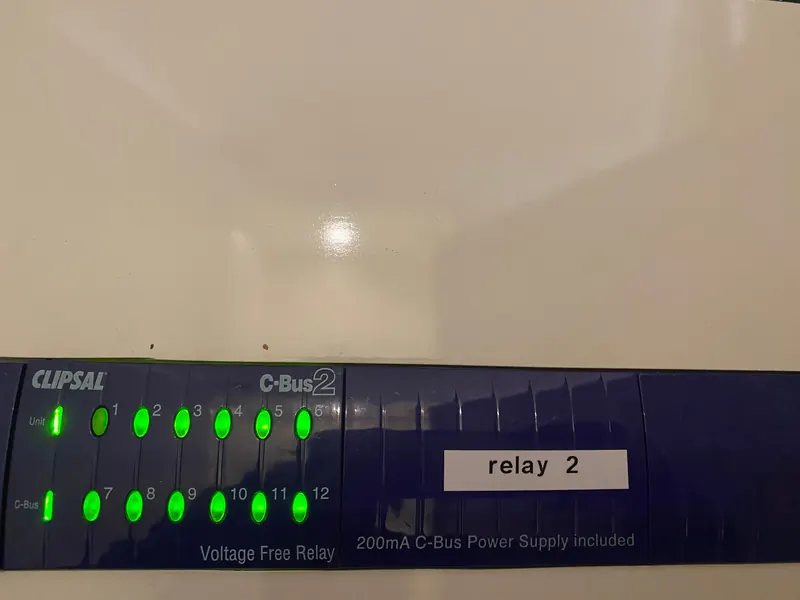
If the entire C-Bus system has stopped responding, rather than simply displaying flashing indicators, switching the relevant C-Bus circuit breaker off and then back on after approximately 30 seconds can sometimes sync the clock and temporarily clear the fault.
What Not to Do
Don’t automatically replace the flashing switch. If the problem is elsewhere on the network, you can replace and reprogram the wall switch only to find that the new switch immediately starts displaying the same symptoms.
Don’t simply add another power supply as the first response. Additional power may hide an underlying fault rather than repair it.
Don’t ignore persistent network problems. Low network voltage can cause unpredictable behaviour, including lights requiring multiple button presses, delayed responses, timers behaving incorrectly and commands failing to reach devices.
Finding the cause early is generally easier than waiting until the affected component fails completely and potentially takes the C-Bus network down with it.
How We Diagnose a Flashing C-Bus Switch
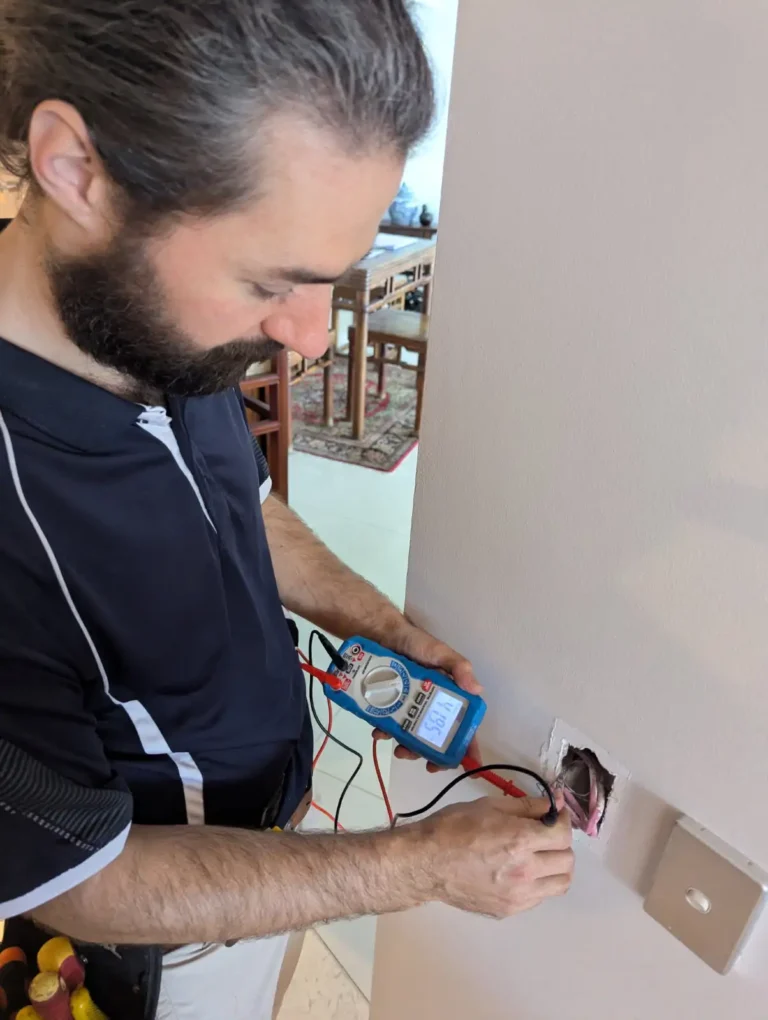
A flashing switch is a symptom. Proper C-Bus fault finding involves identifying what is causing it rather than simply replacing parts.
When we investigate a flashing or unresponsive C-Bus system, we can:
- Check C-Bus network voltage at switches
- Check measurements at the switchboard and other points on the network
- Check C-Bus power supplies
- Isolate sections of the network
- Inspect equipment exposed to moisture, corrosion or insects
- Check the C-Bus network configuration
This process allows the fault to be narrowed down to its actual cause rather than replacing components unnecessarily.
Read more about our C-Bus repairs and fault finding services.
Did the Problem Start After a Storm?
If your C-Bus problems began following a storm, lightning or power event, damaged C-Bus equipment may be involved.
The initial fault-finding process is similar, but where storm or surge damage is identified, repairs may potentially form part of an insurance claim.
Intelligent Automation can also provide a smart home insurance report documenting the affected automation equipment and required repairs.
Still Flashing? Talk to a C-Bus Specialist
If your C-Bus switches are flashing blue and orange, or your C-Bus system has stopped responding, contact Intelligent Automation on 0428 068 582.
You’ll speak directly with Jim, who can often determine from a short description whether the problem is something simple or requires onsite fault finding.
We service C-Bus systems across the Sunshine Coast, Brisbane and Gympie, and carry specialist C-Bus test equipment and replacement components for common faults.
C-Bus flashing switch FAQ
Why is my C-Bus switch flashing blue and orange?
It’s reporting a network fault, most often low network voltage or an unstable network. The switch itself is usually fine; the cause is generally a faulty unit elsewhere, moisture or ants inside a switch, or a power supply that’s failing or undersized.
My C-Bus switch is flashing orange only. Is that a fault?
No. A single button pulsing orange means a timer is running on that button, such as a fan run-on or a delayed-off light. It returns to normal when the timer finishes.
Will replacing the flashing switch fix it?
Usually not. The flashing switch is reporting a problem with the network, not with itself. Replacing it without finding the cause typically leaves the fault in place and the new switch flashing too.
Should I add another C-Bus power supply to stop the flashing?
Not as a first step. Adding a power supply often masks a failing supply or a faulty unit rather than fixing it, and the symptoms tend to return later and become harder to diagnose. Have the network tested first.
Can a storm cause a C-Bus switch to flash?
Yes. Lightning and power surges can damage C-Bus units in ways that aren’t visible, and a damaged unit can pull the network voltage down. If the flashing started after a storm, mention it when you call, as the repair may be claimable on insurance.